 Pomodoro Sync
A free Pomodoro timer app for Android, with no ads
Updated
Pomodoro Sync is a free, ad-free Pomodoro timer app for Android: open it, tap Start and your first 25-minute pomodoro is running, even without an account. It alerts you when each phase ends, even with the app closed, and if you also work at a computer it syncs your timer with Windows and the browser.
Get it on Google Play Try it in your browser first
Your first pomodoro in one tap
The first time you open the app, you get two options:
- "Try without an account": the timer starts right away and your pomodoros are stored on your phone only, with today's count in view. A good way to see whether the app suits you without handing over any details.
- Continue with Google: your settings and pomodoros are saved to your account, so you can use them on other devices.
If you start without an account and sign in later, the pomodoros you've already done are uploaded to your account without duplicates. Before your free platform is locked in, the app tells you which one it will be (Android, in this case), so there are no surprises.
Alerts that arrive on time
In the Pomodoro method, the bell is what closes a pomodoro, so we paid particular attention to alerts on Android:
- They work with the app closed. When a phase starts, the alert for its end is scheduled with Android itself. You don't need to keep the app open or the screen on.
- Notification permission only when it's needed. The app doesn't ask when you open it, but the first time you tap Start, which is when it actually makes sense.
- Exact alerts. On recent versions of Android, an alarm that fires to the second needs a special permission the system calls "Alarms & reminders". Without it, Android may batch alerts and delay them by a few minutes. If your phone hasn't granted it, the app lets you know and takes you to the right setting with an "Allow exact notifications" button.
- Sound the way you like it. A soft chime when each phase ends and, if it helps, a ticking sound during focus or during breaks (off by default). Sound is a per-device preference: keep it on your PC and mute it on your phone if you like.
Made for one-handed use
One screen with a progress ring, the time left, your cycle progress ("2 of 4") and how many pomodoros you've done today. Three buttons: reset or void, start or pause, and skip. If you skip or void by mistake, you have a few seconds to undo it.
You change durations in Settings with quick presets, from the classic 25·5·15·4 to 50- or 90-minute blocks, or step by step to suit you. If you want to stay true to the method, you can turn on counters for internal and external interruptions and write one line about what you're working on. It works on phones and tablets, with light or dark theme, in English or Spanish, and with no ads of any kind.
And it doesn't drain your battery in the background: the countdown is worked out from the moment the phase ends, with no process waking up every second, and the app only talks to the server when you start, pause or the phase changes.
Your phone and your computer, on the same timer
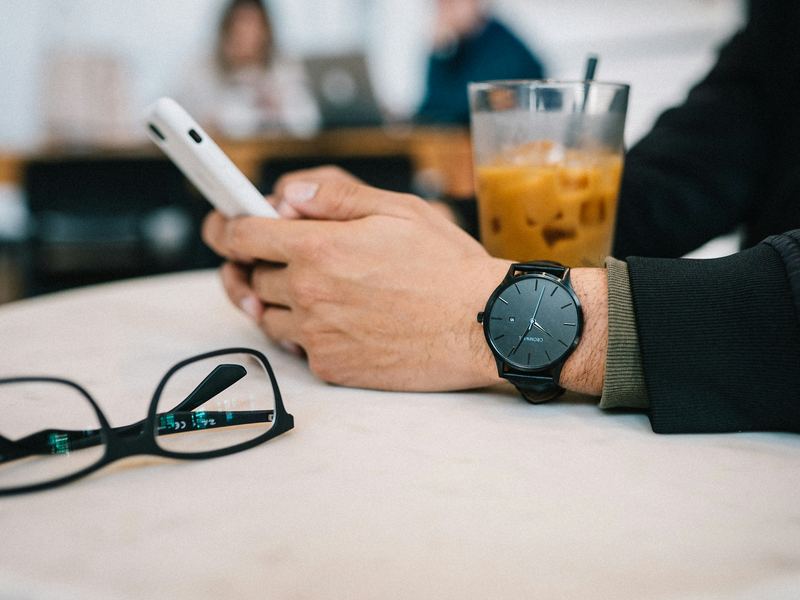
If you work at a computer, your phone becomes the remote control for your pomodoro. You start on your PC, the bell rings and you get up for a coffee: your phone shows exactly how much break time is left. Pause from your phone and your computer knows within seconds. If you lose signal for a while, the countdown is still right, because what gets synced is the moment the phase ends, not a seconds counter that drifts.
You can pair Android with the Windows app or with the browser. Every completed pomodoro is counted exactly once, even if it's open on several devices.
Pricing: free on Android, one-time payment for the rest
If Android is your first platform, the timer is free on all your Android devices with the same Google account: your phone, your tablet and whatever phone you buy next year. If you picked the wrong platform to start with, you can change your free platform once.
A one-time payment, with no subscription and no renewals, unlocks the rest. Google Play shows you the price in your local currency, and it can vary from country to country. It unlocks:
- Sync with another platform: your Windows PC or the browser.
- Statistics: completed pomodoros, focused time, your day streak, the Today section (clean, paused, void and interruptions) and your history by day and by week.
On Android you pay through Google Play, like any other in-app purchase, and the unlock is tied to your Google account: sign in on Windows or in the browser with that account later and it's already unlocked.
Your data
No advertising and no ad trackers. If you use the app without an account, your pomodoros never leave your phone. If you sign in, we store only what's needed to sync (settings, timer state and your pomodoro log), and you can delete your account and all your data at any time from Settings. The details are in our privacy policy.
Beyond the timer
The app takes care of the clock; the rest is down to the method: one task per pomodoro, breaks away from the screen (your phone screen included), and writing interruptions down instead of dealing with them on the spot. It's all explained in our guide to the Pomodoro Technique, and if you use it for studying, in Pomodoro for studying.